
The kodak printomatic is worth considering if you want a simple camera that turns a moment into a small physical print right away. Skip it if you expect sharp phone-quality photos, want to choose every image before printing, or dislike paying for the occasional dud. Its appeal is the experience of handing someone a picture, not getting the best image for your money.
If I were buying for a party, I’d compare it with the Fujifilm Instax Mini line, which suits people who like the look of instant film, and the Canon IVY line of phone printers, which suits people who want to select and edit photos before printing. Those are different products for different habits: the right choice depends on whether taking the picture or choosing the picture is more important to you.
1. Every press of the shutter has a paper cost
The kodak printomatic uses 2-by-3-inch ZINK photo paper rather than separate ink cartridges. The color-forming materials are in the paper, so there’s no ink cartridge to replace. The trade-off is that you need compatible paper on hand, and each print adds to the cost of using the camera.
This camera is designed to print photos automatically as you take them. That makes it fun at a gathering, but it also means a blurry shot or a picture of someone blinking can use a sheet. It is not the same experience as scrolling through your phone and printing only the winner.
Before buying, price a replacement pack of Kodak-compatible 2-by-3-inch ZINK paper at the store where you actually plan to shop. Divide the pack price by the number of sheets to get your cost per picture. For example, a $20 pack of 50 works out to 40 cents per sheet; that’s just easy math, not a promise about what paper costs today. Prices and pack sizes vary.
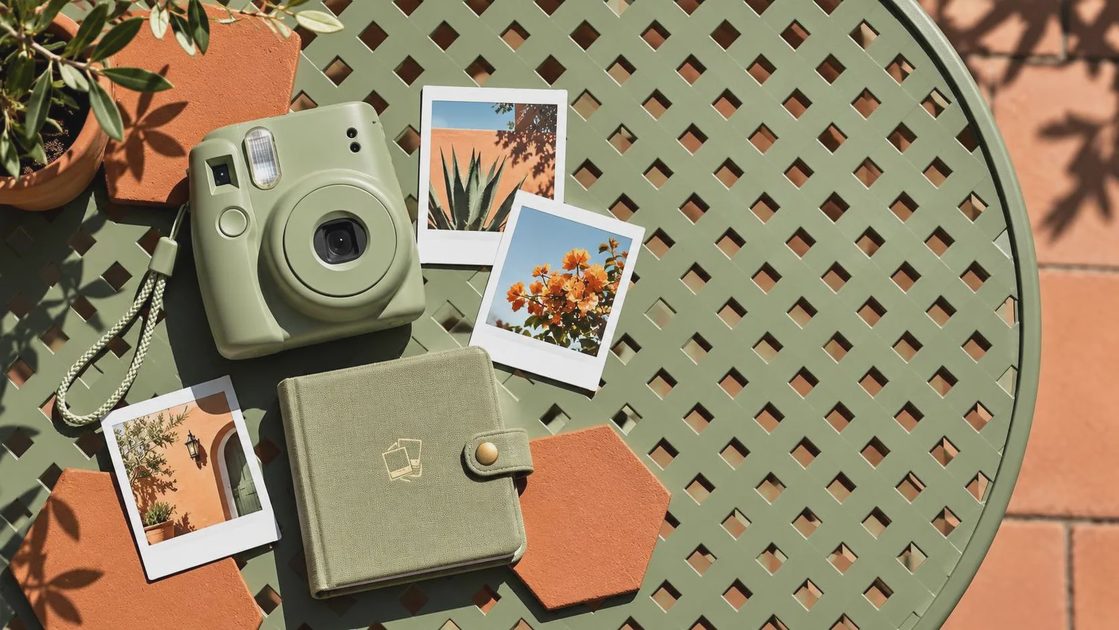
For a gift, I’d include an extra pack in the budget. A camera that runs out of paper halfway through the first afternoon can become a drawer resident surprisingly fast.
2. The photo is a keepsake, not a phone upgrade
The kodak printomatic makes small prints with a casual, instant-photo character. Think refrigerator door, scrapbook, or party favor. Don’t buy it expecting the detail, low-light performance, or editing flexibility you get from a modern phone camera.
Lighting matters. Give your subject plenty of light, keep the camera steady, and avoid placing a bright window directly behind the person you’re photographing. The camera has a flash for darker scenes, but a flash cannot turn a dim room into a perfectly lit portrait. Close enough for a clear subject is generally more useful than trying to capture a whole room from across it.
The small format also affects what looks good. A face or a single object has a better chance of making sense at 2 by 3 inches than a distant group against a busy background. For a family trip, I’d think of these prints as little souvenirs, not the only record of the day.
The paper has an adhesive backing, which can be useful for journals or labels. If you’re giving prints to guests, leave the backing on until they decide where they want to put them. Store unused paper according to its packaging and keep it away from excessive heat and moisture; a parked car in summer is a poor supply closet.
3. Convenience comes with less control
The kodak printomatic is built around a straightforward point-and-shoot interaction. That’s an advantage when you want a camera on a table that guests can pick up without an app or a tutorial. It’s less appealing when you want to crop, adjust color, or approve a shot before spending a sheet.
The camera can save digital images to a compatible microSD card, which is useful if you want a file as well as a print. Check the listing and included accessories: a card may need to be purchased separately. Saving a file also does not turn the camera into a phone printer or give you a preview screen for choosing which shots to print.

There is a rechargeable battery, so plan for charging before an event and check the listing for the cable and charger situation. I would not base an all-day party plan on an optimistic battery claim; have a way to recharge available and keep a phone handy for pictures you cannot afford to miss.
Which alternative makes more sense?
The kodak printomatic competes with more than other instant cameras. Your first decision is whether you want the camera and printer to be the same object.
A Fujifilm Instax Mini camera uses instant film rather than ZINK paper. It’s a good fit if you specifically like the look and ritual of film developing in your hand. You’ll still need to buy compatible film, and the camera-first experience means imperfect shots can cost money there, too. Compare the actual film price and print size before assuming either format is cheaper.
A Canon IVY phone printer is a better match if your camera roll already holds the pictures you love. You take photos on your phone, choose what to print, and use the printer with a compatible phone. That extra selection step reduces unwanted prints, but you lose some of the spontaneous pass-the-camera-around charm.
A Kodak Step instant printer is another phone-printer option worth comparing. Check its paper requirements and app compatibility against the specific listing. A printer may be the better family-budget choice if several people want to make prints from phones they already own.
Who should buy it?
The kodak printomatic makes sense for someone who values a simple physical memento more than a polished photograph. It’s especially appealing for a party table, a scrapbook enthusiast, or a gift recipient who will enjoy the act of shooting and sharing.
I’d pass if the goal is an inexpensive way to print dozens of carefully selected family photos. A phone printer or a photo-printing service gives you more control over which images make it onto paper. And if the recipient is particular about image quality, show them examples of the format before making the purchase.
The three things that actually matter are the cost of replacement paper, the small casual prints, and the lack of a print preview. If those sound like part of the fun rather than compromises you’ll resent, this is a sensible little camera. Buy the version of the product you’ll still like after the excitement wears off.



No comments yet — be the first to share a thought.