
The logitech mx anywhere 3s is the kind of mouse that looks almost too sensible in a product photo. It is compact, wireless, quiet, and built for people who move between a laptop, desktop, tablet, or office. That sounds straightforward, but the important question is not whether it has a long feature list. It is whether the shape, switching, and price will make your workday easier after the first week.
I have a simple test for compact productivity gear: does it disappear into your routine, or does it create another tiny problem to solve? The logitech mx anywhere 3s mostly passes that test. It is a strong choice for a hybrid worker, frequent traveler, or anyone whose desk is also the kitchen table. It is less convincing for a gamer, a large-handed user who wants a palm-filling mouse, or somebody who only needs a basic pointer for occasional browsing.
The first thing: size and comfort matter more than the feature list
The main appeal is portability. The mouse fits easily beside a MacBook, Dell XPS, iPad keyboard, or a paper notebook in a backpack. It is small enough for a cramped coffee-shop table and light enough that carrying it does not feel like packing a second accessory for the accessory bag.
That convenience comes with a comfort tradeoff. A compact mouse gives your hand less surface area to rest on than a full-size office model such as the Logitech MX Master 3S. If you use a relaxed palm grip for eight hours, the taller and broader Master may feel better. If you use a fingertip or claw grip, the smaller body is easier to control and less tiring to carry.
The buttons are quiet, which is useful in a shared office, library, or bedroom when someone else is sleeping. Quiet clicks do not make the mouse silent, but they remove the sharp plastic snapping that can become surprisingly annoying during a long document-editing session. The scroll wheel also feels more substantial than what you usually get on a cheap travel mouse.
Before buying, measure your actual hand position rather than trusting a product photo. If your palm hangs heavily off the back of compact mice, the logitech mx anywhere 3s is probably a travel-first tool, not your ideal all-day desktop mouse.
The second thing: switching devices is the real reason to pay more
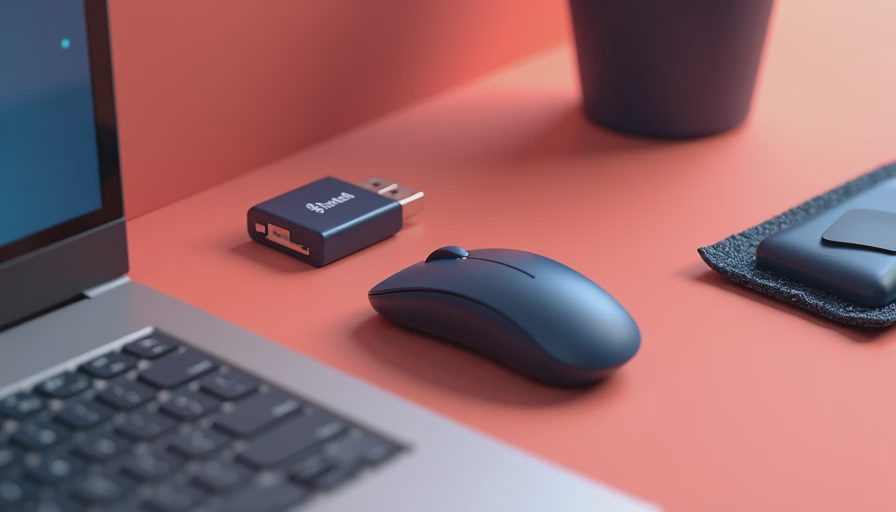
The logitech mx anywhere 3s can connect with Bluetooth or its compatible Logitech wireless receiver, depending on the bundle and your setup. The practical win is that you can pair it with multiple devices and move between them using the button on the underside. A laptop for work, a desktop for personal tasks, and a tablet for notes can share one mouse instead of occupying three USB ports and three inches of desk space.
This is where the spec sheet stops helping. Device switching is valuable only if you actually switch devices. Someone who spends all day on one Windows laptop will not suddenly become more productive because the mouse can remember additional connections. Someone who works across a personal MacBook and a company Windows machine can save real friction: no unplugging, no digging through Bluetooth settings, and no second mouse rolling under the desk.
Logitech’s Options Plus software adds customization for buttons and application-specific actions. You might assign a side button to go back in a browser, open a task view, or move between desktops. These shortcuts are useful, but they require software setup and a little patience. If you want a plug-and-play device with no companion app, leave the defaults alone and use the mouse as a conventional pointer.
The software is most worthwhile for repetitive work. A spreadsheet-heavy user, designer, project manager, or browser-tab collector can turn one button into a shortcut used dozens of times a day. For occasional email and web browsing, the benefit is smaller.
The third thing: tracking and battery life are excellent, but not magic
The tracking sensor is designed for ordinary surfaces, including desks where you do not want to carry a mouse pad. It can handle many office surfaces and is much more forgiving than bargain mice that stutter on a glossy table. Still, “works almost anywhere” does not mean every surface is perfect. Glass, reflective finishes, and heavily patterned materials can remain unreliable.
Battery life is one of the strongest reasons to consider this model. A charge can last for a long stretch of normal use, and USB-C charging makes topping it up less annoying than older micro-USB accessories. The exact runtime depends on use, settings, and connection habits, but the larger point is simple: you are unlikely to think about charging every night.
The mouse can also remain usable while charging if the cable arrangement works for your desk. That is not glamorous, but it matters when the battery warning appears during a deadline. A mouse that needs a short recharge is easier to live with than one that demands a proprietary dock or a dedicated charging cradle.
The logitech mx anywhere 3s is not a performance gaming mouse. Its sensor and shape are aimed at productivity, not competitive play. It lacks the aggressive shape, high polling focus, and extensive gaming controls that players usually want. For office work, photo sorting, writing, and light creative tasks, those omissions are sensible rather than disappointing.

What it feels like after the novelty wears off
After the first few days, the biggest benefit is not speed. It is reduced clutter. One small mouse can move between a home office and a travel setup without asking you to reconfigure your whole bag. The quiet buttons are also the sort of feature that becomes more valuable over time. You may not brag about them, but you will notice when you return to a louder mouse.
The downsides become clearer too. The compact shell can feel cramped for larger hands, and the premium price is hard to justify if you never use device switching or customization. A $15 to $25 basic wireless mouse will handle pointing, clicking, and scrolling. Spending more makes sense when portability, multi-device support, better materials, and dependable tracking solve a recurring annoyance.
I would also avoid buying it solely because it carries the MX name. The MX Master line is better for a fixed desk and broad palm support, while this model is better for movement. Same family, different job. Good product, wrong buyer is still a bad purchase.
Who should buy it, and who should skip it
Buy the logitech mx anywhere 3s if you regularly move between two or more computers, work in changing locations, or want a compact mouse that feels more deliberate than a disposable office model. It is especially sensible for a hybrid worker who carries a laptop several days a week and wants the same controls at home, in a coworking space, and on a hotel desk.
Skip it if your hand needs a large ergonomic shape, your budget is tight, or your computer setup never changes. A basic Logitech M-series mouse can cover simple tasks for far less money. Choose the MX Master 3S instead if comfort at a permanent desk matters more than backpack space.
The logitech mx anywhere 3s is also a reasonable gift for someone who works from a laptop but still uses a second screen or home computer. It avoids the usual compatibility drama because Bluetooth is common, and the learning curve is short. Just confirm the recipient prefers compact mice before spending premium money.
My buying call
If I were buying this for myself today, I would choose the logitech mx anywhere 3s at a sale price or when I needed one mouse for a mobile, multi-device routine. At full price, I would pause and compare the cost with the MX Master 3S and a good basic mouse. The right decision depends less on brand prestige than on whether switching devices and carrying less gear will happen every week.
For the right person, it is a polished, low-drama upgrade. For the wrong person, it is simply a small mouse with extra features gathering dust. Buy the version of the product you will still like after the excitement wears off, and this one earns its place when portability is part of the job.



No comments yet — be the first to share a thought.