
I’m Nolan. I work from a home office that is also part of the rest of the house. Toys migrate. Light changes throughout the day. Someone may need the desk for five minutes. The monitor has to earn its footprint under those conditions, not just look good in a dedicated setup photo.
Most monitor advice assumes you have a permanent, optimized desk and that the main variables are resolution, refresh rate, and panel type. Those matter. They are not the first three things that decide whether you still like the screen two weeks later when the room is shared and the day is interrupted.
Here are the three that do.
1. Size and placement that survive real furniture and real movement
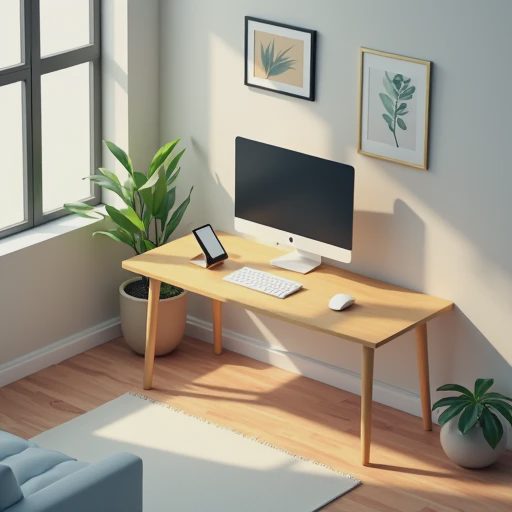
A 32-inch ultrawide looks impressive in isolation. In a home office that shares space with family life, it can quickly become a visual and physical obstacle. The screen has to fit the actual desk depth, the wall or window behind it, and the fact that people walk past or stand next to you.
What I check first:
Can I sit at a normal distance without the edges feeling like they demand constant head turning?
Does the monitor block sight lines or make the desk feel smaller the moment something else needs to happen in the room?
Is the stand adjustable enough (height, tilt, ideally swivel) that I can set it once and not keep negotiating with it?
I have owned monitors that were technically excellent and still felt wrong because they dominated a desk that also had to handle a laptop, a notebook, and occasional kid traffic. The right size is the one that gives you useful space without turning the desk into a single-purpose shrine. For many shared home offices, that lands in the 24–27-inch range, sometimes a clean 32-inch if the desk and viewing distance truly support it. Bigger is not automatically better when the room has other jobs.
2. Brightness, glare, and how the screen behaves in changing light
Home offices rarely have perfect, consistent lighting. Morning sun, afternoon heat through the window, overhead lights at night, and the occasional lamp all change what the panel looks like. A monitor that is only comfortable in a dim, controlled environment will frustrate you in a real house.
The practical tests:
Can you raise brightness enough to stay readable when the room is brighter without the image washing out or the backlight becoming distracting?
Does the panel handle side light and reflections without forcing you to constantly adjust curtains or your posture?
Is the matte or anti-glare treatment good enough that you are not fighting reflections during the hours you actually work?
I care more about usable brightness and glare control in mixed lighting than about the highest peak nits number or the most dramatic HDR demo. If the screen is hard to see or forces you to rearrange the room every time the light shifts, the rest of the specs become secondary.
3. The stand, ports, and daily friction points that marketing rarely emphasizes
The part of the monitor you interact with every day is not the panel technology. It is the stand, the buttons or joystick, the ports, and whether the whole thing is easy to live with.
Things that decide long-term satisfaction:
Height adjustment that actually reaches a comfortable eye level so you are not looking down or craning up.
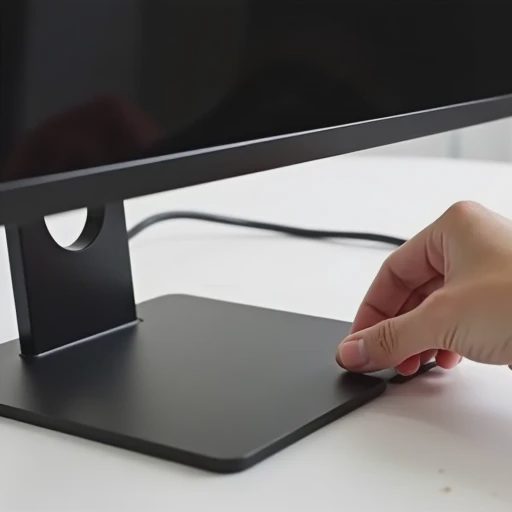
Cable management that does not leave a mess of power and video cables hanging in the shared space.
Enough ports (and the right ones) that you can connect the laptop you actually use without a dongle pile.
A power button and controls that are reachable and understandable without a manual.
I have returned monitors that scored well on paper because the stand was limited, the ports were inconvenient, or the on-screen menu made simple adjustments feel like a chore. In a home office that is not a permanent cave, those small frictions compound. The monitor should disappear into the work, not add extra steps every time you sit down or switch devices.
The filter I use
Before I buy, I ask:
Will this size and shape still feel reasonable in the actual room and desk I have, including the days when the space is shared?
Will the screen stay comfortable and readable as the light changes through a normal day?
Do the stand, ports, and controls remove friction or create it?
If a monitor fails any of those, the higher refresh rate or the slightly better contrast ratio rarely saves it for my use case.
Buy the version of the product you’ll still like after the excitement wears off. For a home-office monitor that shares space with real life, that usually means prioritizing fit, usable visibility, and daily ergonomics over the features that look best in a comparison table. The right screen supports the work and then stays out of the way. The wrong one keeps reminding you it is there.

No comments yet — be the first to share a thought.