Quick disclosure before we get into it: this post contains affiliate links. If you buy through one, we may earn a small commission at no extra cost to you. We only write up gear we've actually tested, and every opinion below is ours.
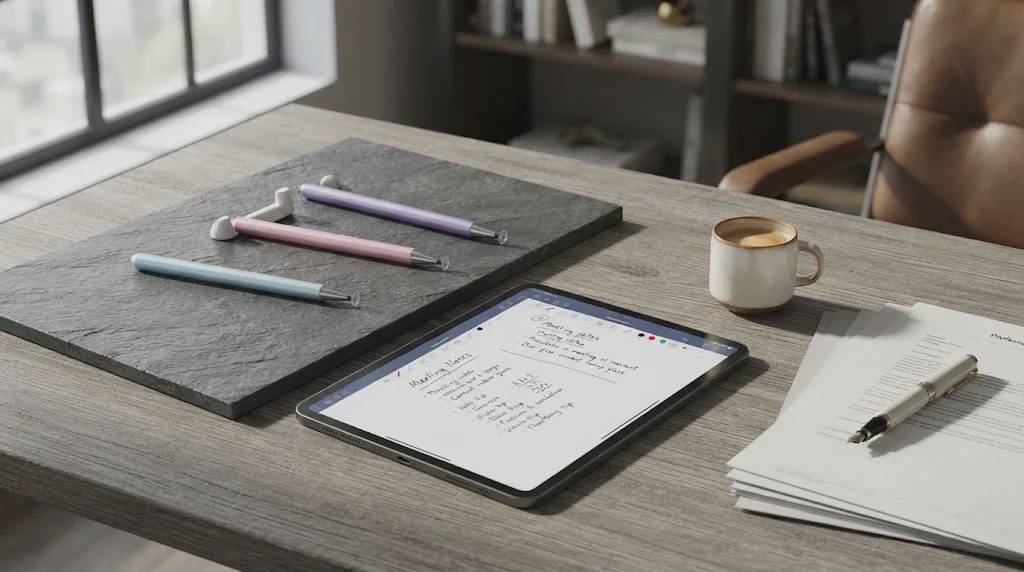
I didn't think I needed a stylus pen until I spent an entire flight trying to tap out meeting notes on my iPad with my thumbs. Autocorrect turned "quarterly budget" into "quarterly budge," I missed half the bullet points I meant to jot down, and by the time I landed I'd basically given up and switched back to a paper notebook. That's usually how it goes with tablets — they're great for reading and watching, less great for the fast scribbling most of us actually want to do on them.
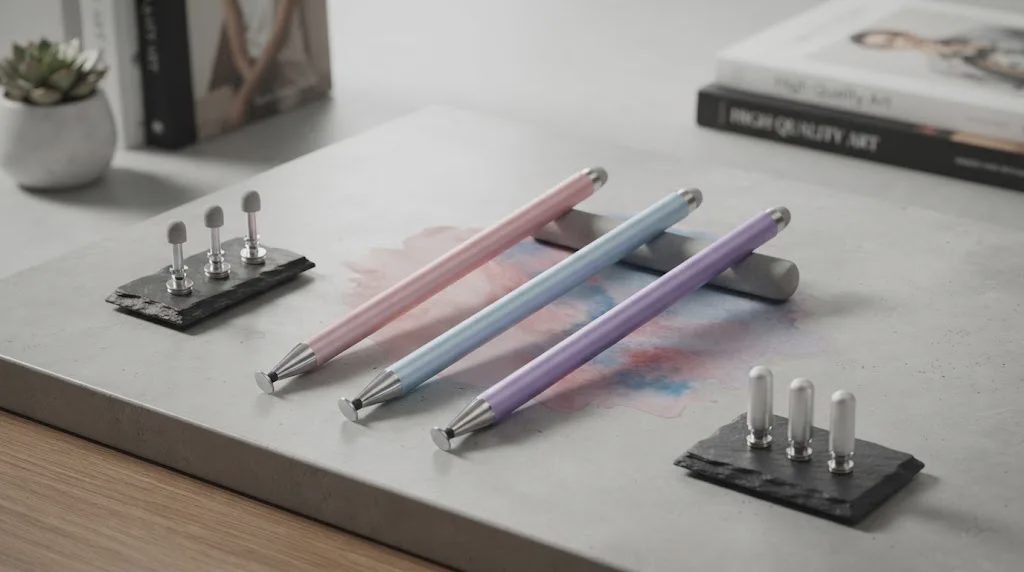
So I went looking for a stylus that wouldn't cost as much as the tablet itself. That search led me to the AmberVec 2-in-1 stylus pen, a $9.98, three-pack option that shows up near the top of Amazon's stylus results with an Amazon's Choice badge and north of 9,000 units sold in the past month alone. I've been using one of the three for about six weeks now — on an iPad, occasionally on an Android tablet, and once or twice on my phone when I was too lazy to grab a pen — and I have a decent read on where it earns its price tag and where it doesn't.
Why I Went Looking for a Stylus in the First Place
I'll be upfront that I never seriously considered an Apple Pencil. At $79 and up for something I'd mostly use for grocery lists and the occasional sketch, it felt like overkill. What I actually wanted was something that worked across devices — my iPad for notes, my partner's Android tablet when the kids commandeer it for drawing apps, and a phone in a pinch — without babysitting a charging cable or pairing it over Bluetooth every time.
That ruled out most of the higher-end active styluses right away. Passive ones, the kind that work purely off touch like a finger does, are simpler, cheaper, and don't care what device they're touching. The trade-off is that they're usually less precise. That's the gap AmberVec is trying to close.
What Makes the AmberVec 2-in-1 Different
One Pen, Two Tips
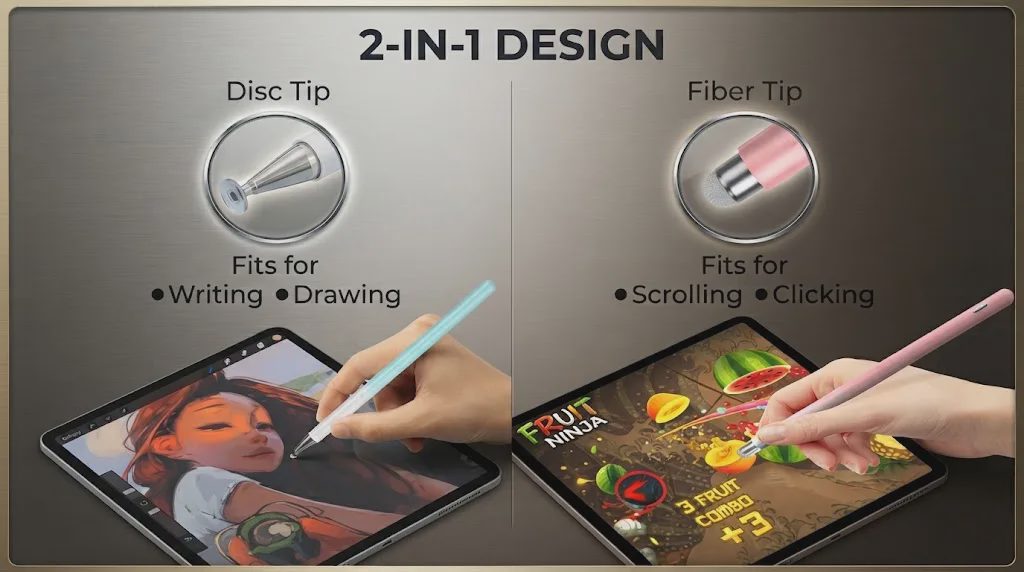
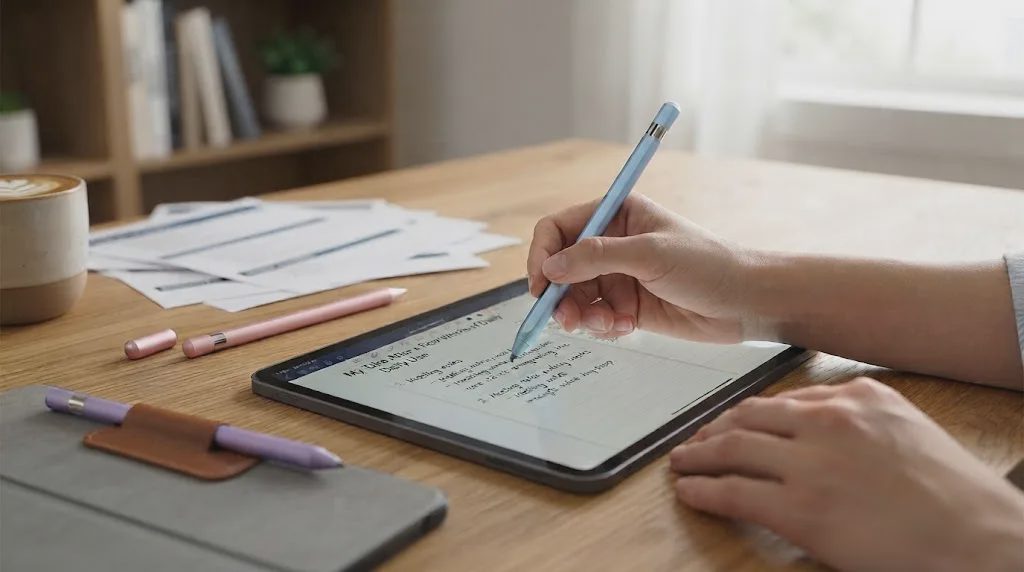
The core idea here is genuinely useful, and it's the reason I kept reaching for it over other cheap styluses I've tried. Each pen has a disc tip on one end and a fiber tip on the other. The disc tip is meant for writing and drawing — it's a small, flexible, semi-transparent disc that sits flush against the screen, which in practice means you can see exactly where your line is landing instead of guessing around a fat rubber nub. Flip the pen around and the fiber tip is built more for scrolling and tapping, the stuff you do all day without thinking about it.
In use, this split actually changes how I hold the thing. I keep the disc end out for note-taking sessions and flip to the fiber end when I'm just browsing or clicking through an app, which sounds like a small thing but meant I stopped switching between my finger and the pen constantly.
The Disc Tip Feels More Accurate Than I Expected
I've used passive styluses before that skip and jump, especially on diagonal strokes. The disc tip on this one tracked noticeably closer to where I actually put the pen than I expected for something this cheap. It's not going to fool anyone into thinking it's an active pressure-sensitive pen — more on that below — but for handwriting notes, checking boxes, and signing PDFs, it held up fine across a full workday of use.
Part of that comes down to the disc itself. Because it's transparent and sits flat rather than at an angle, I could actually watch the tip make contact instead of guessing where the point of a traditional rubber-tip stylus was resting under my hand. It sounds like a minor detail until you're trying to write neatly in a cramped calendar box or sign a form on a small phone screen, where a half-millimeter of guesswork is the difference between a legible signature and a scribble.
It Works Across More Than Just iPads
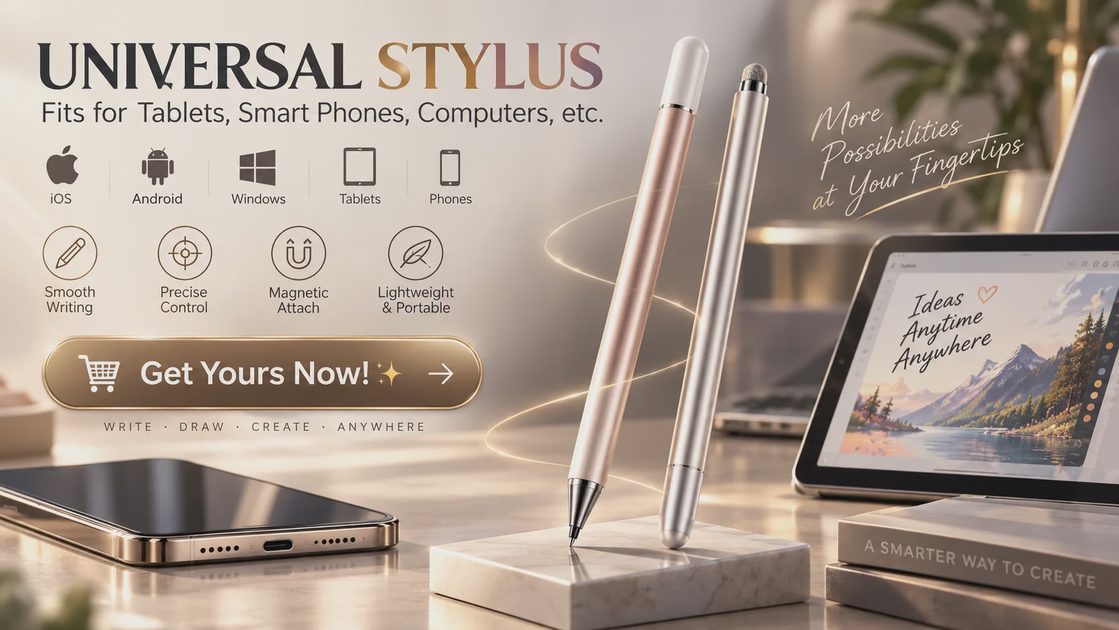
This was the part I cared about most going in, and it's held up. I've used the same pen on my iPad, on an Android tablet, on a Windows touchscreen laptop, and briefly on my phone, and it worked the same way on all four without any pairing, charging, or app installs. That universality is really the entire pitch of a passive stylus, and AmberVec delivers on it — if you've got a household with a mix of Apple, Android, and Windows touchscreens, one pen style covers all of them instead of buying device-specific accessories for each.
Small Details That Add Up
A few things stood out that I didn't expect at this price point:
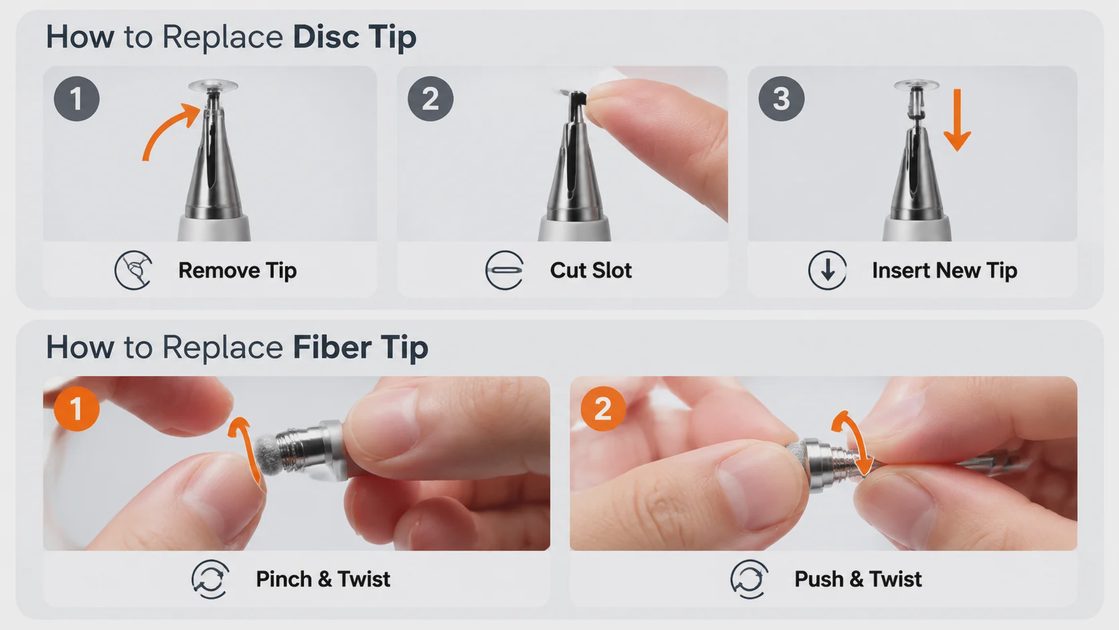
Hidden spare tips. Each pen has a backup disc tip stored inside the barrel and an extra fiber tip built into the design, so when one wears out you're not stuck ordering replacements immediately.
Magnetic cap on both ends. The cap snaps onto either tip magnetically, which sounds minor until you realize how often a cheap stylus cap just goes missing in a bag.
Aluminum body. It's light — under three-quarters of an ounce — but doesn't feel hollow or cheap in hand, and the finish resists the fingerprint smudging I've seen on glossier plastic styluses.
Getting It Set Up in Under a Minute
There's no pairing, no charging, and no app to download — the setup is almost entirely physical. Out of the box, each pen already has one tip installed and a spare tucked inside the barrel, so the first thing I did was twist off the magnetic cap and check which end was already loaded before picking a task.
If you're on an iPad, there's one software step worth doing before you write a single word: open Settings, tap Apple Pencil, and make sure "Only Draw with Apple Pencil" is switched off. Skip this and the pen will feel dead on arrival, which had me second-guessing the hardware the first time until I found the toggle.
After that, it's just a matter of flipping the pen to whichever tip matches what you're doing — disc end out for notes, fiber end out for scrolling — and the magnetic cap snaps onto either one when you're done, so nothing rattles loose in a bag.
The Trade-offs I Ran Into
I want to be straight about where this pen has limits, because a $9.98 three-pack isn't pretending to be a $130 pressure-sensitive tablet pen.
First, it doesn't support palm rejection. It's a passive stylus, meaning it works by reading the same kind of touch signal your finger does, just more precisely. That's great for compatibility, since it works on basically any capacitive touchscreen, but it also means you need to keep your palm off the screen while you write, the same way you would with a finger. It took me a day or two to retrain that habit.
Second, there's no pressure sensitivity. If you're doing serious digital illustration in an app that varies line weight based on how hard you press, this isn't the tool for that — AmberVec says as much in its own product notes, which I appreciated rather than finding out the hard way. For note-taking, checklists, casual sketching, and games, it's not an issue at all.
One more small thing worth knowing upfront: on an iPad, you'll need to go into Settings, then Apple Pencil, and make sure "Only Draw with Apple Pencil" is switched off before the stylus will register properly. It's a one-time toggle, but skip it and you'll think the pen is broken when it isn't.
My Take After a Few Weeks of Daily Use
For what it costs, this has become the stylus I actually keep in my bag instead of the one I bought and forgot about. At $9.98 for a three-pack — roughly $3.33 per pen — it's cheap enough that I don't panic when one rolls under the couch, and having three colors means everyone in the house isn't fighting over the same pen. It's sold and shipped through Amazon, carries the Amazon's Choice badge, and sits at a 4.5-star average across close to 7,500 ratings, which is a reasonable amount of real-world data points for something in this price range.
If three pens is more than you need, or you'd rather have a single color instead of the blue-pink-purple mix, AmberVec sells smaller single-pack and different color-combo options too, along with a larger bundle for households or classrooms that go through pens fast. I'll get into the specifics of those options below.
Would I tell someone to buy an Apple Pencil instead? If you're doing serious illustration work or need pressure sensitivity, yes. If you just want to stop typing meeting notes with your thumbs and don't want to spend more than the cost of a couple of coffees to fix that, this is a genuinely sensible pick.
FAQ


No comments yet — be the first to share a thought.