
The jlab talk go usb microphone is aimed at people who want clearer calls, voiceovers, and casual recordings without turning a desk into a podcast studio. That is a sensible target. Most buyers do not need a $300 broadcast microphone, but a laptop microphone can make you sound distant, hollow, or like you are calling from inside a kitchen cabinet.
JLab’s compact USB mic sits in the affordable middle: more capable than a built-in computer mic, less demanding than a full XLR setup. The important question is not whether it has a long feature list. It is whether the sound, controls, and physical setup are good enough for your actual week. Here are the three things that matter before you spend the money.
1. The sound is a practical upgrade, not studio magic
The biggest reason to consider the jlab talk go usb microphone is convenience. You connect it to a computer, select it as the input in Zoom, Microsoft Teams, Discord, or your recording software, and start talking. There is no audio interface, phantom power supply, or driver ritual standing between you and the first meeting.
That simplicity can noticeably improve spoken audio. Compared with many laptop microphones, a dedicated desktop mic usually gives your voice more presence and reduces the thin, far-away quality that makes people ask you to repeat yourself. It can work well for remote meetings, online classes, gaming chat, video narration, and occasional podcast clips.
Still, placement matters more than the logo on the front. Put the microphone about six to ten inches from your mouth, slightly off to the side, and speak toward its front pickup area. Keep the keyboard behind it when possible. If the mic sits two feet away beside a noisy laptop fan, even a good budget model will struggle. This is where the spec sheet stops helping: distance and room noise will shape the recording more than a tiny resolution difference.
The microphone is not a replacement for a treated room or a carefully positioned dynamic broadcast mic. A bare office with hard walls can produce echo, and enthusiastic voices can sound sharp if the gain is set too high. For normal work calls and content that does not need commercial-studio polish, those limits are reasonable.
2. The controls are useful because they remove small daily annoyances
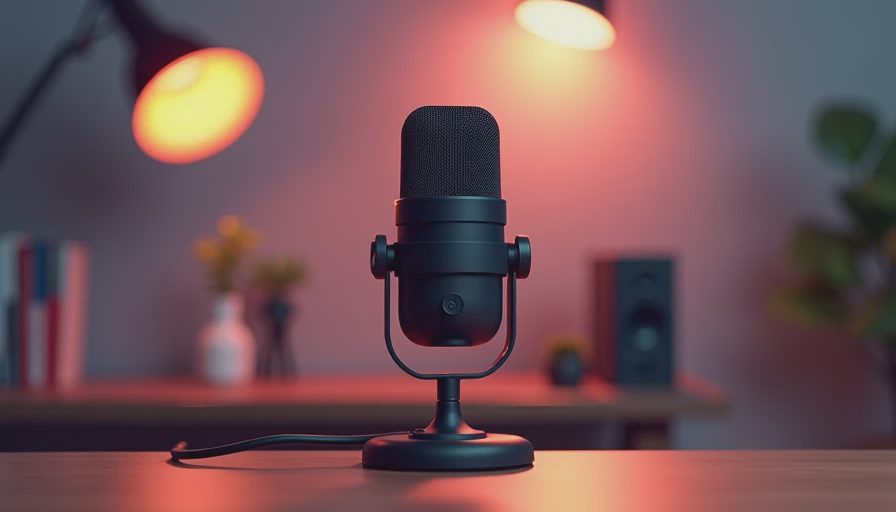
A budget microphone earns its place by making routine tasks easier. The jlab talk go usb microphone includes practical controls such as a mute function, volume or gain adjustment, and headphone monitoring. Exact behavior can depend on the connected computer and application, but the general advantage is clear: you can adjust your voice without opening three menus while a meeting is already underway.
A physical mute control is especially valuable. If Miles starts asking for a snack during a client call, or a delivery driver rings the bell during a recording, one quick press is better than hunting through Zoom settings. The mute indicator also gives you a useful visual reminder, though I would still glance at the software status before saying anything confidential.
Headphone monitoring is another feature that sounds more technical than it feels. Plugging headphones into the mic lets you hear your own voice and often the computer audio with less hassle. That can expose a loose cable, excessive gain, or a fan roaring in the background before you waste an hour recording a take.
The tradeoff is that compact controls are not always as intuitive as a larger studio microphone. You may need a few minutes to learn which knob changes input level and which changes headphone volume. That is a small price, but buyers expecting a heavy metal broadcast tool should reset their expectations. This is a light desktop accessory built for quick setup, not a centerpiece for a professional booth.
3. The real value depends on your setup and upgrade expectations
The jlab talk go usb microphone makes the most sense when your alternative is a laptop mic, headset mic, or no microphone at all. At an affordable price, it can be a strong first step for a remote worker, student, gamer, or new creator who wants cleaner speech without spending $150 to $250 on a more advanced model.
It is less compelling if you already own a solid USB microphone. Moving from a decent Blue Yeti, HyperX SoloCast, Razer Seiren Mini, or similar product is unlikely to transform your workday. You may gain a different sound or a smaller footprint, but the improvement probably will not justify replacing gear that already works.
The jlab talk go usb microphone also needs the right expectations around connections. It is designed around USB computer use, not a traditional mixer-based setup. That is excellent for a laptop desk and less suitable if you plan to route the microphone through an audio interface, hardware mixer, or multi-microphone recording rig. Before buying, check the included cable and your computer’s available ports. An adapter is inexpensive, but needing one is still an avoidable credit-card surprise.
For a simple home office, a small stand and a USB connection are advantages. The mic does not demand a boom arm, though a boom arm can help clear desk space and keep the distance consistent. If you record beside a mechanical keyboard, placing the mic closer to your mouth and lowering the gain can reduce key noise more effectively than relying on software cleanup.
Who should buy it, and who should wait
Buy the jlab talk go usb microphone if you want a straightforward improvement for calls, streaming, gaming, or occasional voice recording and you value physical mute and monitoring controls. It is a good fit for the normal buyer who wants to plug in, choose the input, and get back to work. It is also a sensible gift for someone starting a YouTube channel or podcast but still deciding whether that hobby will last beyond two weekends.
Skip it if you need professional vocal production, frequent multi-person recording, or strong rejection of a loud room. In those cases, a dynamic USB microphone or an XLR setup may be a better long-term direction. Models from Audio-Technica, Samson, HyperX, and Logitech cover different versions of that upgrade path, but spending more only helps when your room, placement, and recording habits can use the extra capability.
This is also a good-product, wrong-buyer situation for someone who mostly uses wireless earbuds. If your headset already produces clear calls and you dislike another object on the desk, the microphone will become clutter rather than an upgrade. The best accessory is the one you will actually place correctly and remember to use.
My buying call after the first two weeks
If I were buying this for myself today, I would choose the jlab talk go usb microphone for a compact work desk, regular video meetings, and light recording. I would not buy it as a promise that I was suddenly building a professional studio. That distinction keeps the purchase honest.
Before ordering, check three things: the current price, the return policy, and the cable or adapter situation for your computer. Then plan the setup before it arrives. Put the mic near your monitor, leave room for headphones, and keep its front pointed toward your speaking position. Those boring details often decide whether a gadget becomes daily equipment or ends up in a drawer.
The jlab talk go usb microphone is not trying to win every microphone category. Its appeal is that it makes better-than-laptop audio accessible without demanding a technical education. If that is the problem you are solving, it deserves a place on your shortlist. Buy the version of the product you will still like after the excitement wears off: in this case, the simple one you can connect, position, mute, and use every week.

No comments yet — be the first to share a thought.