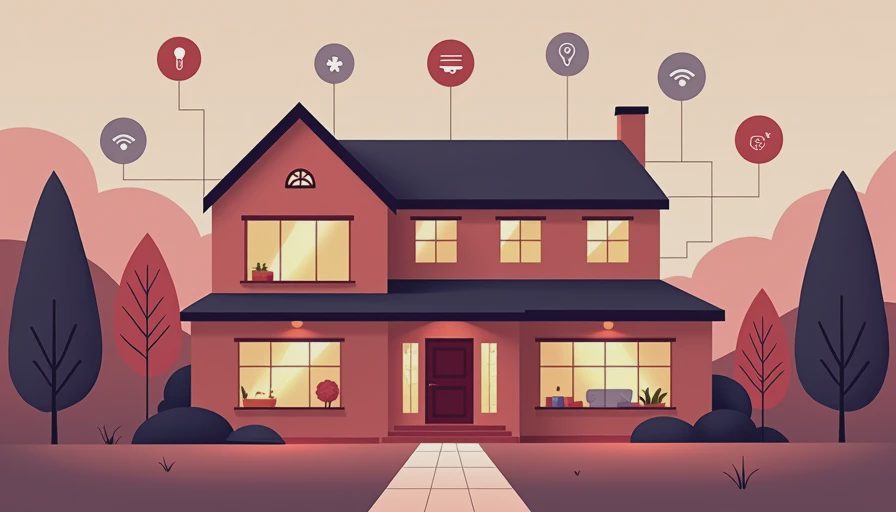
A domotic home sounds like the future: lights adjust themselves, the thermostat saves energy, and the front door locks while you are already in bed. In practice, a domotic home is simply a connected house with automation built around everyday routines. The useful part is not owning the most gadgets. It is removing small annoyances without creating a second job called “managing the smart home.”
If I were setting one up for myself today, I would start with three questions: What should happen automatically, which devices will still work together in three years, and how much maintenance can I tolerate? Those questions are more valuable than a wall of technical specifications.
1. Decide what you want automated first
The biggest mistake is buying devices before choosing the routines they should support. Start with a normal weekday. Maybe you want the hallway lights to turn on when someone arrives after dark, the thermostat to lower itself when the house is empty, and the coffee maker to start only after the first alarm is dismissed. Those are clear jobs. “Make everything smart” is not.
A useful domotic home usually begins with two or three automations. Motion sensors from brands such as Aqara or Philips Hue can handle lighting. Ecobee and Google Nest thermostats can manage temperature schedules and occupancy features. A smart lock from Schlage or Yale can make an evening lockup routine easier, especially when your hands are full of groceries and a preschooler’s backpack.
The test is simple: would you notice the automation on a busy Tuesday? If the answer is no, skip it. A $25 smart plug that turns off a forgotten lamp can be more valuable than a $200 display that mostly shows the weather.
2. Compatibility matters more than the logo
This is where the spec sheet stops helping. A device can advertise Wi-Fi, voice control, and a dozen integrations yet still be awkward with the equipment you already own. Before buying, identify the platform you want to use as the center of the house. Amazon Alexa, Google Home, and Apple Home are the easiest starting points for many households. Home Assistant offers deeper control, but it asks for more patience and technical involvement.
Matter is an important compatibility standard, but it is not a magic eraser. A Matter device can work across supported platforms, while some advanced features still depend on the manufacturer’s app or cloud service. Check whether the exact model supports the platform you use, whether it needs a hub, and whether its best features require a subscription.
For a domotic home with mixed brands, use a small compatibility checklist. Confirm the communication standard, required hub, power source, app quality, and offline behavior. If a door sensor stops working when your internet connection drops, that is worth knowing before it is installed on the nursery door.
3. Budget for the boring equipment
Smart-home budgets usually fail because buyers count only the visible gadgets. A basic starter setup might include a $40 smart speaker, two $25 bulbs, a $30 motion sensor, and a $100 thermostat. Add a hub, better switches, installation, or a smart lock, and the total can quickly reach $400 to $800 for one floor.
There is also a difference between replacing a bulb and replacing a wall switch. Smart bulbs are quick to install, but someone can still turn off the physical switch and make them unavailable. Smart switches are cleaner for shared rooms, although some require a neutral wire and careful electrical installation. If you rent, plugs and bulbs are usually the less complicated choice.
Subscription costs deserve attention too. Some cameras reserve video history, person detection, or cellular backup for plans that can cost roughly $3 to $15 per month per device or household. That can become $180 a year before you add anything else. The best domotic home is not necessarily the one with the largest shopping cart; it is the one whose recurring costs do not annoy you every month.
Make the system useful for real people
A smart home should serve the least interested person living in it. If your partner, roommate, or visiting parent cannot operate the lights without opening three apps, the setup is too clever. Keep physical controls wherever they make sense, label unfamiliar switches, and create one-tap scenes such as Good Morning, Away, and Bedtime.
Voice control is convenient for timers and lights, but it should not be the only path to important actions. A physical key, manual thermostat control, and ordinary light switch provide useful backups. This matters when the Wi-Fi is down, a company changes its app, or a guest simply does not want to talk to a speaker.
For families, avoid automations that can create surprises. A door unlocking because a phone crossed a geofence sounds convenient until a child is playing near the entry. A camera notification at 2 a.m. should tell you what happened, not bury you under motion alerts from every passing car. Reliability beats novelty in a domotic home.

Privacy, security, and upkeep are part of the price
Every connected device adds another account, firmware update, and possible entry point. Use unique passwords, enable two-factor authentication, and keep the main router updated. Put inexpensive plugs and bulbs on a guest network if your router supports separate networks, while keeping trusted phones and computers on the primary network.
Think about where recordings go. A camera pointed at a driveway is different from one aimed at a bedroom or private office. Review storage settings before installation, and avoid buying a device that requires cloud video if local storage is important to you. No system is maintenance-free, so expect occasional battery replacement, app updates, and troubleshooting.
A good domotic home also has a recovery plan. Keep a list of device names, reset instructions, and account access in a secure password manager. If you sell the house or move, remove devices from your account and factory-reset them. This is dull work, but dull work is cheaper than discovering that a former tenant still receives doorbell alerts.
A sensible starter plan for most buyers
For a first setup, I would build in this order. Start with the platform already used by your household’s phones and speakers. Add a thermostat or a few lights only where convenience is obvious. Install one motion sensor in a high-traffic area. Then create a single bedtime routine that turns off selected lights, adjusts the temperature, and confirms the front door is locked.
Live with that setup for two weeks before buying more. Notice which actions you still perform manually and which alerts you ignore. If a routine fails twice, simplify it instead of adding another sensor. If you cannot explain the benefit of a product in one sentence, it probably belongs on the wish list.
A $250 setup that quietly saves time can be a better purchase than a $1,500 showcase packed with devices you resent. Buy the version of the product you will still like after the excitement wears off. For most households, a domotic home should feel calmer, not busier.
Final buying call
A domotic home is worth considering if you want practical help with lighting, temperature, entry, or energy habits and you are willing to maintain a few connected accounts. It is a poor fit if you dislike apps, need every feature to work offline, or expect one expensive hub to solve every household problem.
Start small, favor products with broad compatibility, and keep manual controls available. Compare the full cost, including hubs, installation, batteries, and subscriptions. The winning setup is not the one that impresses visitors for ten minutes. It is the one that quietly helps on a rushed morning, during a late arrival, and at the end of a long day without demanding attention. That is the practical promise of a domotic home, and it is enough.


No comments yet — be the first to share a thought.